IP Address Management
Use Infrahub IPAM to manage IP prefixes, IP addresses, and namespaces alongside the rest of your infrastructure data. Prefixes and addresses are ordinary Infrahub objects, so you can add relationships to devices, interfaces, and services the same way you would on any other node. Infrahub computes hierarchy automatically and calculates utilization on read. Every change is branch-aware. Both IPv4 and IPv6 are supported.
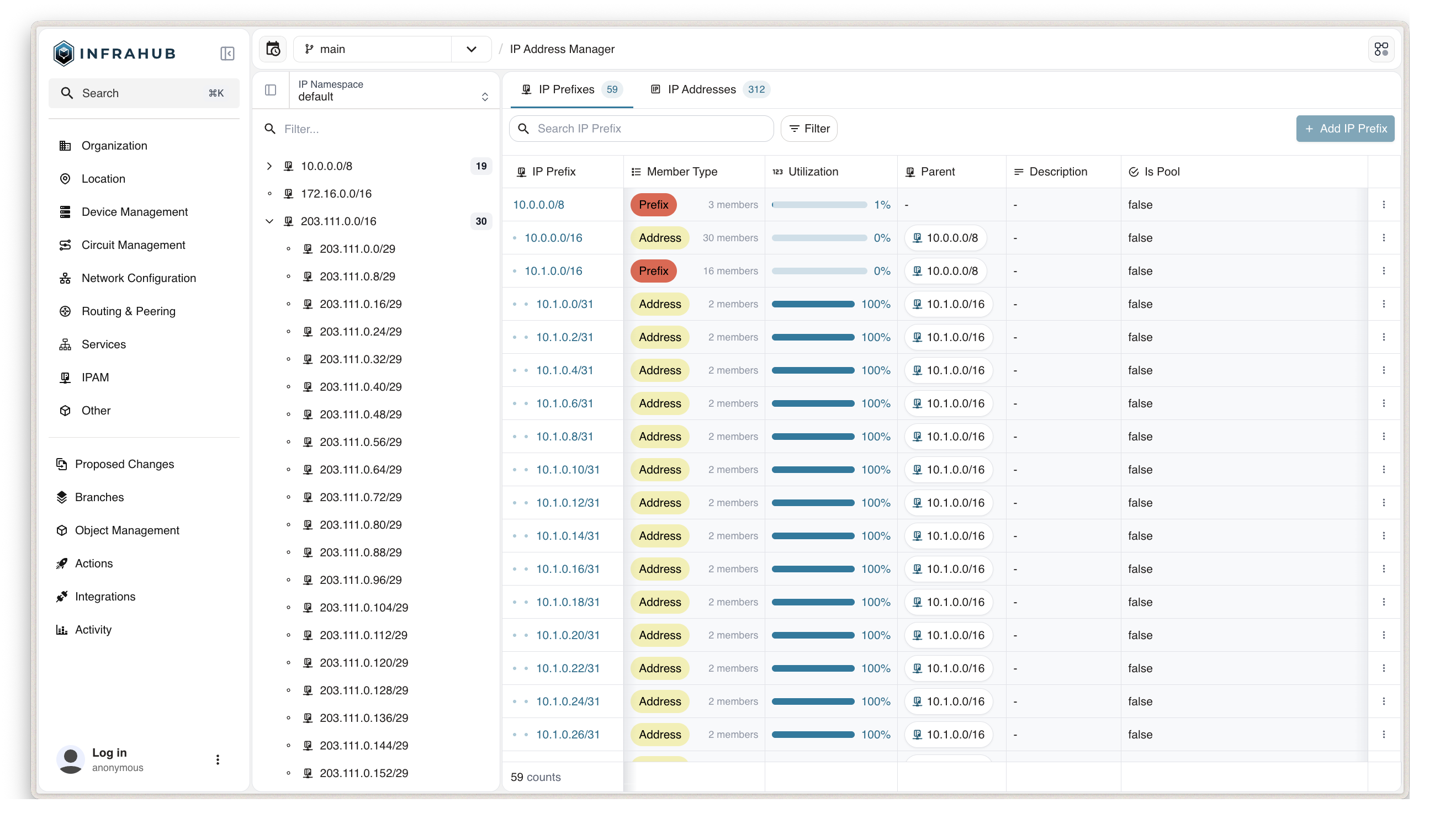
Once your IPAM schema is in place, use Infrahub Sync to bring in your existing IP data from a prior source of truth.
Built-in generics
Infrahub provides three built-in generics to inherit from when building your IPAM schema:
BuiltinIPNamespace— isolates a set of IP prefixes and addresses. Comparable to a VRF or routing instance.BuiltinIPPrefix— models an IPv4 or IPv6 network in CIDR notation.BuiltinIPAddress— models a single IPv4 or IPv6 host address.
Infrahub includes a schema node called IpamNamespace that inherits from BuiltinIPNamespace, and creates a default namespace object automatically on first start.
Building an IPAM with these generics serves a different purpose from using the IPHost, IPNetwork, or IPAddress attribute kinds on other nodes. The IPAM generics use the IPHost and IPNetwork attribute kinds internally. See Build your IPAM schema for when to use an attribute kind instead of a full IPAM node.
Hierarchy
IP prefixes and addresses form a tree based on network containment — a prefix can be the parent or child of another prefix, and an address always belongs to the most specific prefix that contains it. Infrahub reconciles this tree automatically on every create, update, or delete, so parent, child, and address-to-prefix relationships stay correct without manual intervention. See Query IPAM data for the relationships exposed on prefixes and addresses.
Utilization
Every IP prefix exposes a read-only utilization attribute, computed on read from the graph, using one of two formulas based on member_type:
prefixmode — utilization is the address space of the child prefixes, divided by the address space of the prefix itself. For example,192.0.2.0/24with one192.0.2.0/26child reports 25%.addressmode — utilization is the number of IP addresses assigned to the prefix, divided by the number of usable addresses in the prefix. For example,192.0.2.0/26holds up to 62 usable addresses (excluding network and broadcast); with 20 addresses assigned, it reports 32%.
Network and broadcast addresses count toward the usable total when is_pool is true, when an IPv4 prefix is /31 or longer (per RFC 3021), and for every IPv6 prefix.
Namespaces
Every IP prefix and IP address belongs to exactly one IP namespace. Namespaces isolate IP space — the same prefix or address can exist in multiple namespaces without conflict, similar to how a VRF isolates a routing table. Use additional namespaces when you need that isolation, for example between customers or business units with overlapping address ranges.
Deleting a namespace deletes every IP prefix and IP address it contains. The default namespace cannot be deleted.
Branching
Creating, updating, or deleting an IP namespace, prefix, or address is supported on any branch. Hierarchy reconciliation runs immediately after each mutation, and again when the branch is merged or rebased into another branch — Infrahub reads the diff between the two branches, identifies which prefixes and addresses changed, and reconciles only those. See Plan changes on a branch for the full workflow, including concurrency control for concurrent branch-based changes.
Resource Manager
Resource Pool is the recommended way to allocate IP addresses and prefixes in automation — provisioning pipelines, generators, and CI/CD workflows. A CoreIPAddressPool or CoreIPPrefixPool draws from your IPAM prefixes as its resources and returns the next available address or subnet. Passing the same identifier on repeated calls returns the same allocation, so a provisioning script can run more than once without allocating the same resource twice.
Infrahub also exposes lower-level GraphQL queries — InfrahubIPAddressGetNextAvailable and InfrahubIPPrefixGetNextAvailable — that return the next free address or subnet without creating a record and without the pool's cross-branch allocation guarantees. Use Resource Pool for production workflows; use these only to look up a value without persisting it.